ScanHive digital catalogs
A QR code menu that looks like your restaurant
Give every table a menu that reflects the food and atmosphere you have worked hard to create. ScanHive turns a QR code into a branded restaurant menu guests can open on their own phones.
A closer look at ScanHive customization
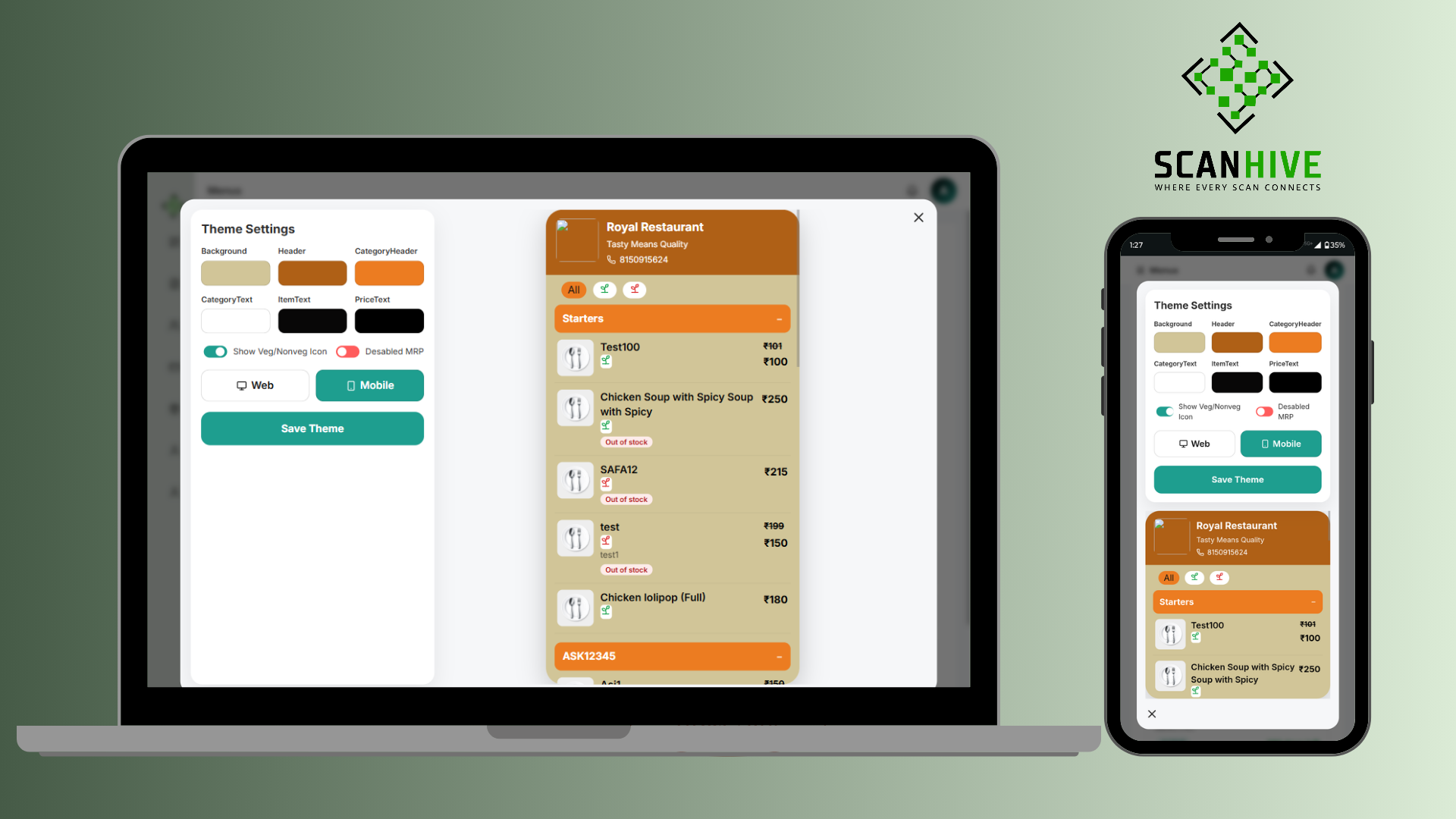
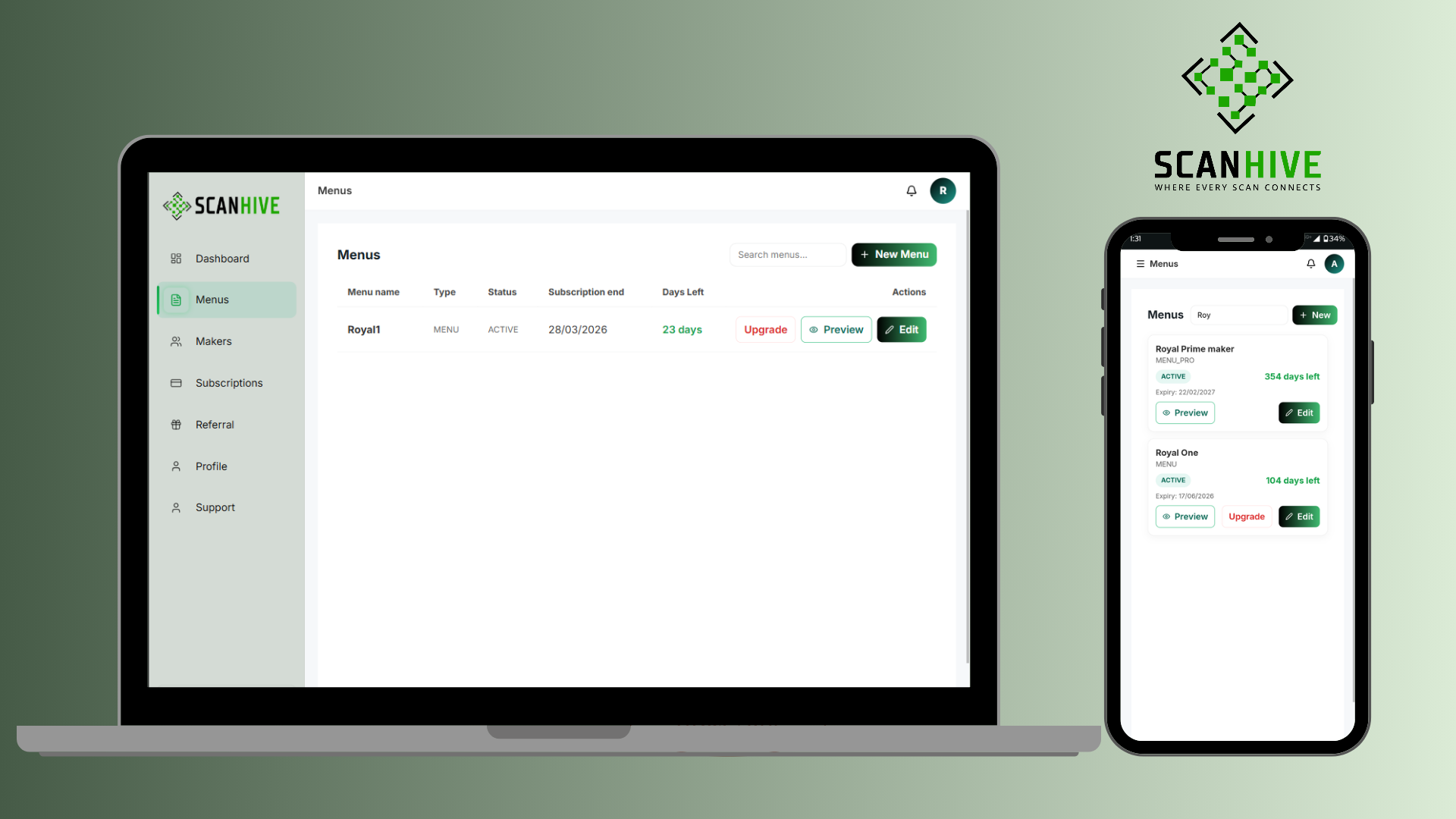
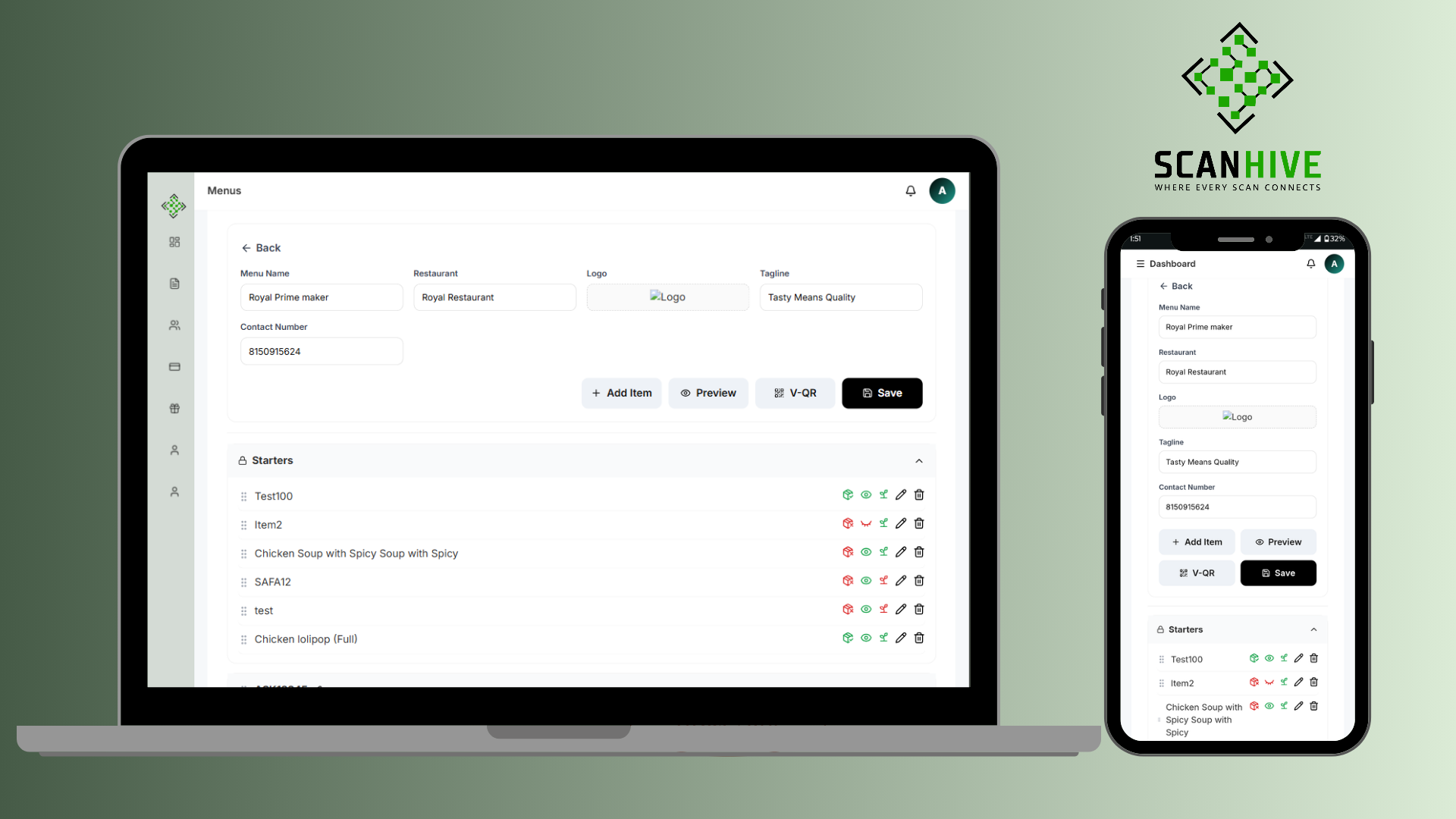
These real product screens show how teams can style a catalog, review it on different screens, and keep items organized.
Keep service moving when the dining room gets busy
Printed menus can slow down a team when a dish sells out or a price changes. With a digital QR menu, staff can update the catalog from the dashboard and guests see the latest version when they scan. Group starters, mains, drinks, desserts, and specials into clear categories so diners can browse at their own pace. Search helps guests find a dish without asking the team to locate a page.
Make the menu feel like part of the restaurant
A menu is often the first close look a guest gets at your food and brand. Choose a visual theme, organize categories, and use item descriptions to explain ingredients, portions, or preparation. Feature the dishes you want guests to notice while keeping the rest of the menu easy to scan. The same catalog can be opened from a table QR code or shared as a link before a visit.
Change a digital menu without replacing the QR code
The QR code points guests to your online catalog, so it can stay on the table while the menu changes. Adjust prices, descriptions, categories, or availability as your kitchen and seasons change. This is useful for limited specials, weekend menus, and temporary stock changes. Your team can make an update once instead of collecting printed copies and replacing them across the dining room.
Give guests a simple way to browse
Guests do not need to install a customer app to view a ScanHive menu. They scan the code with a phone camera and browse in a mobile browser. Clear categories and readable item details make it easier to compare dishes, while a custom theme keeps the experience consistent with your restaurant. Start with the free 60-day offer, add your menu, and share the QR code when it is ready.
Frequently asked questions
Do restaurant guests need to download an app?
No. Guests scan the restaurant QR code and open the menu in a web browser on their phone.
Can I change menu prices after printing the QR code?
Yes. Update prices in your ScanHive catalog. The same printed QR code continues to open the updated menu.
Can I organize dishes into menu categories?
Yes. Add categories such as starters, mains, drinks, and desserts so guests can browse the menu clearly.
Can the menu match my restaurant's branding?
Yes. Select and customize a theme so the digital menu suits your restaurant's look.