ScanHive digital catalogs
A digital catalog for your shop, always up to date
Give shoppers another way to browse what you carry. A ScanHive product catalog organizes items and prices into a branded page that opens from a QR code, with no customer app required.
A closer look at ScanHive customization
These real product screens show how teams can style a catalog, review it on different screens, and keep items organized.
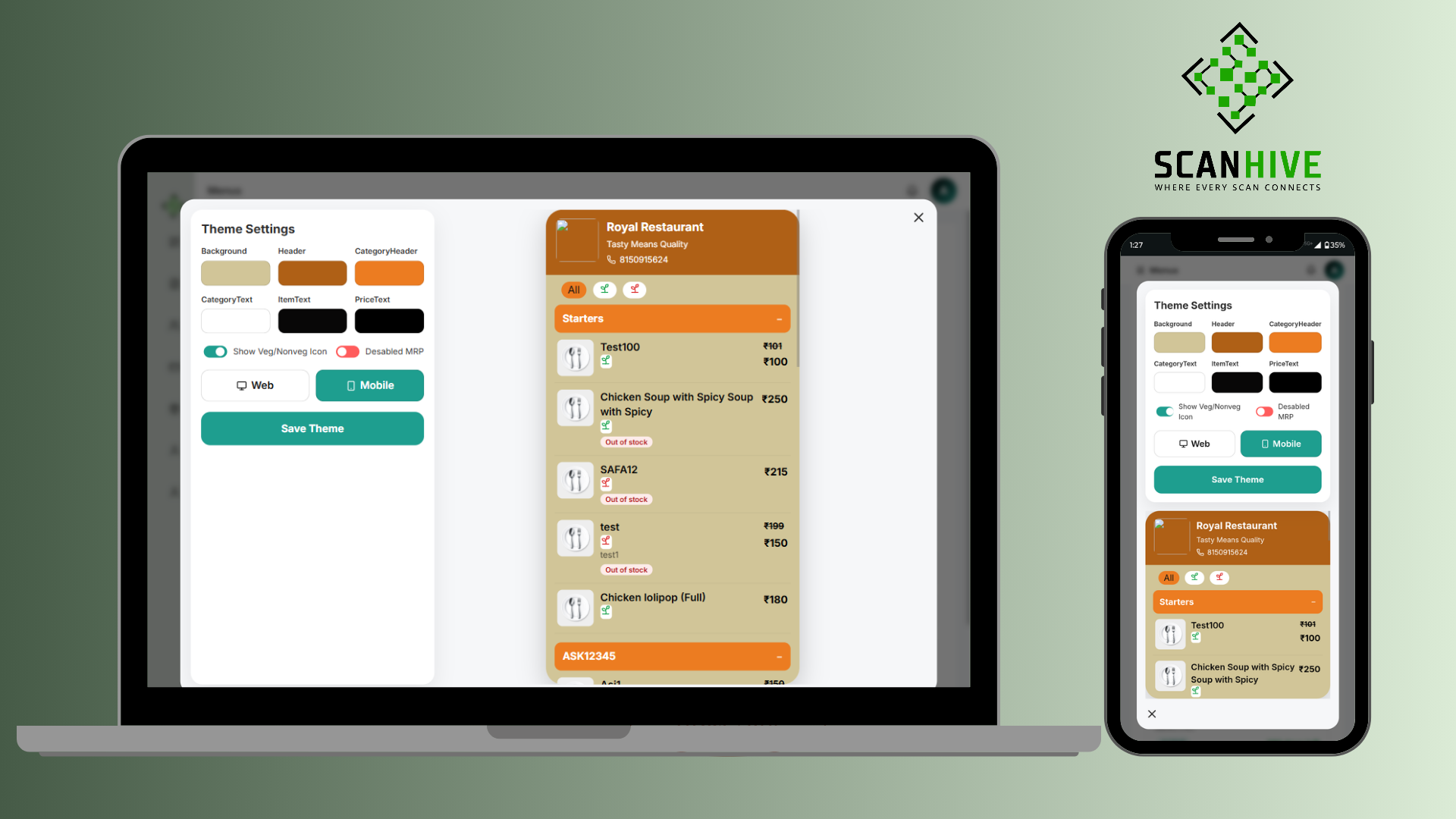
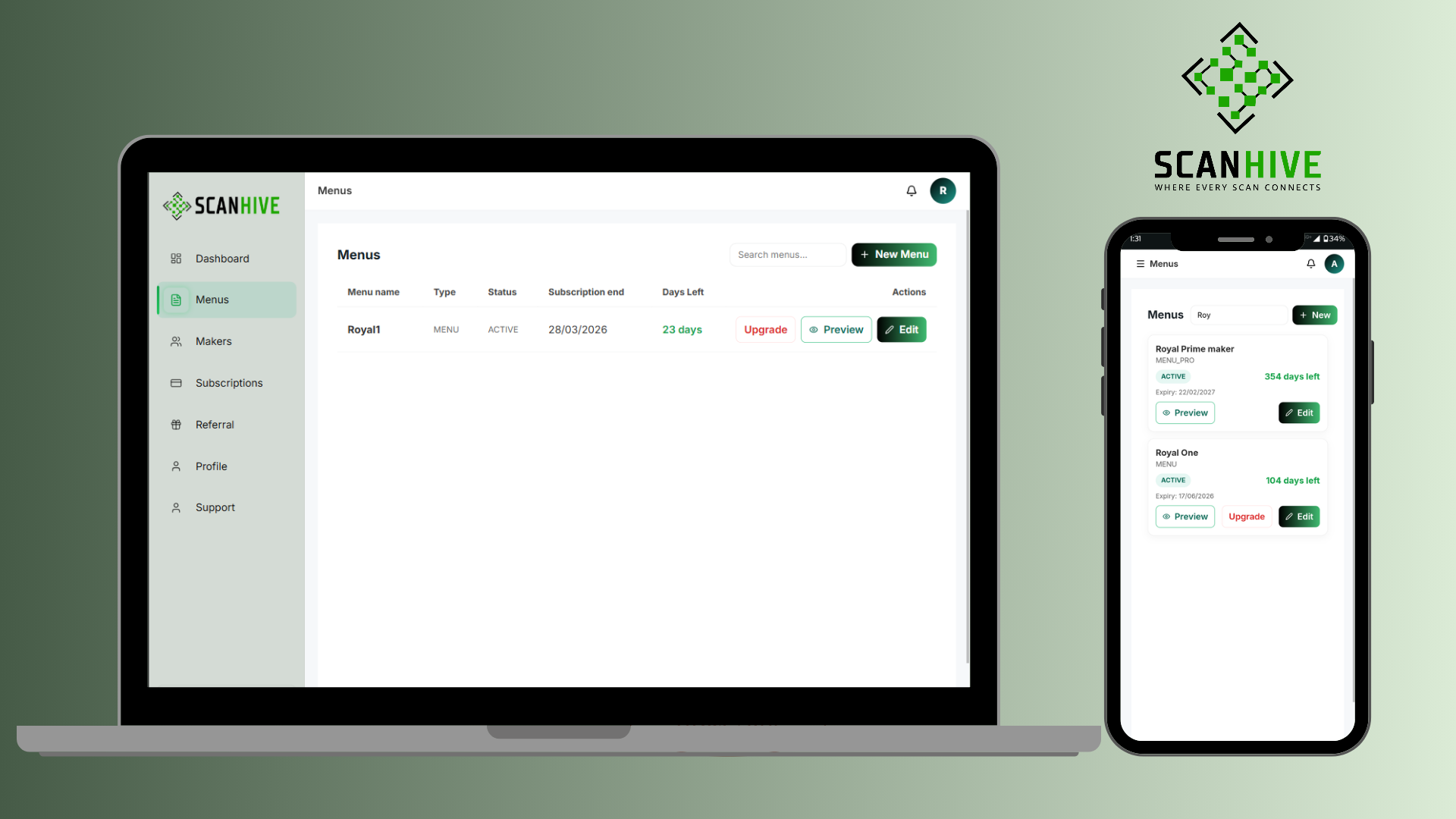
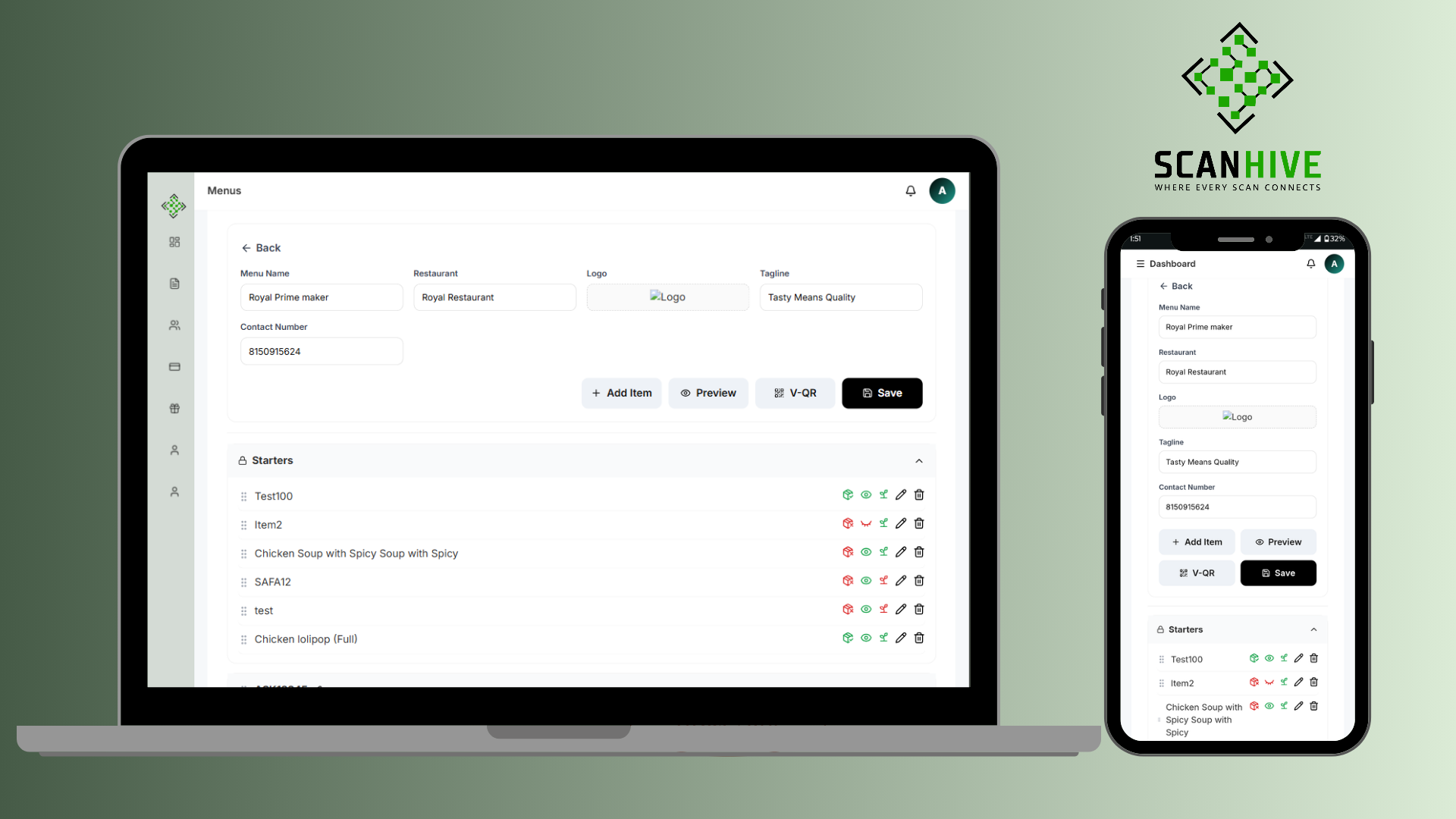
Organize a broad selection into useful groups
A shop can carry many products across departments, collections, sizes, or seasonal ranges. Categories help customers narrow a long catalog into a section they care about, while search gives them a direct path to a product name. Add item details and prices in a consistent format, then use tags or availability settings where they help explain the selection. The result is a browsable companion to the products on your shelves.
Keep product information current as stock moves
Retail ranges change with new arrivals, promotions, and items that sell through. Update product details, prices, and availability in the catalog when your store information changes. The QR code can remain on a counter, shelf sign, or printed handout while the online page is maintained. Shoppers who scan later reach the latest catalog rather than a paper list that may no longer reflect what the shop carries.
Make the digital shelf feel like your brand
A catalog can be functional and still look like your store. Choose a theme that fits your visual identity, organize collections, and write product descriptions in the voice customers recognize. A phone-friendly layout supports browsing in the shop or from a link shared online. For stores with new arrivals or featured collections, update the catalog to give those products a clear place without rebuilding the page.
Share a catalog beyond the shop floor
A QR code helps an in-store visitor open the catalog, and the same page can be shared through a message or website. Customers can look through products before deciding what to ask about on their next visit. Use categories for departments or collections and keep prices consistent across the page. Start with the products your customers request most, then add the wider selection as your team is ready.
Frequently asked questions
Can I create categories for different shop products?
Yes. Organize products into categories or collections that help shoppers browse your catalog.
Do shoppers need an app to open the QR catalog?
No. The QR code opens the catalog in a browser on their phone.
Can I update product prices after printing a QR code?
Yes. Edit the online catalog and the same QR code will open the updated product list.
Can I share the product catalog online?
Yes. Share the catalog link in addition to displaying its QR code in your shop.